

 ChatGPT
 Perplexity
 Gemini
Onboarding new employees or customers successfully can enhance your bond and support long-term partnership. SaaS onboarding videos are very important in this process. A study by Forbes says, viewers retain 95% of a message from video, compared to just 10% from text.
The objective of onboarding videos is to help employees understand the work culture or help customers understand and use the product or service. These videos help in simplifying complex UI, reducing customer support tickets, and therefore increasing the retention of customers.
You might be asking:
- How can onboarding videos bridge the gap between acquisition and customer success?
- How can these videos enhance the customer experience?
- What content should I include in an onboarding video?
In this article, we’ll explore 20 onboarding video examples from B2B businesses. Each showcases creative ways to help customers and employees understand and use a product or service effectively.
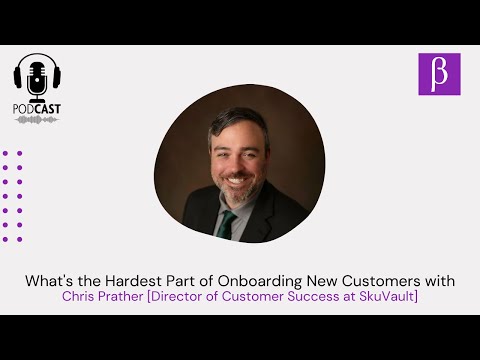
Hear what our client, Chris Prather [Director of Customer Success at SkuVault], has to say about the hardest part of onboarding new customers –
Making a video for B2B & SaaS products needs a different mindset.
We have made videos for 200+ B2B & SaaS companies.
Explainer Video, Product Demo, Remote Video Testimonials, and more.
What is a SaaS Onboarding Video?
A SaaS onboarding video is a tool that introduces new users to your software. It shows them how to get started and derive value quickly.
The purpose of using a customer onboarding video to help users quickly understand the software’s value and start using it effectively. These videos are especially useful for complex SaaS products, where text-based instructions might not be enough.
What are Customer Onboarding Videos?
Customer onboarding videos, also known as client onboarding videos, are short, instructional guides that help new users start using a product or service. These videos show customers how to set up their account, navigate the interface, and use key features.
They’re designed to reduce friction in the early stages of product adoption, helping users grasp the value of the offering faster. These SaaS onboarding videos can be delivered through a variety of channels, including email, video streaming platforms, and the company’s website.
Best Examples of SaaS Customer Onboarding Videos
Here we have compiled some of the best Saas customer onboarding examples. Have a look:
1. Asana
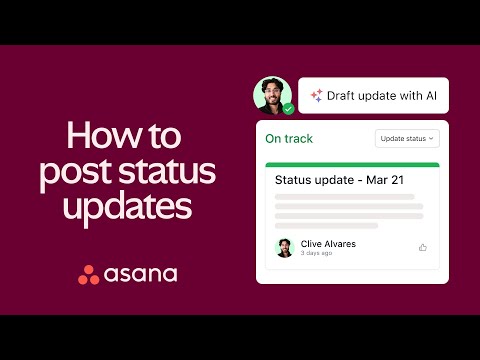
Video Title: How to Asana: Post status updates
Duration: 1 Minute 23 Seconds
Why it works:
- The customer onboarding videos show Asana’s UI, explaining how to view completed, incomplete, overdue, and total tasks effectively.
- The video reinforces Asana’s brand identity by showcasing its logo, color scheme, and style prominently.
- It concludes with a logo animation and a call to action, encouraging viewers to try Asana, with a link to the website on the final slide.
2. JotForm

Video Title: How to Create a Form with Jotform
Duration: 6 Minutes 42 Seconds
Why it works:
- This SaaS onboarding video begins with upbeat music, setting a lively tone as the presenter mentions the content
- The opening sequence shows that this video is part of the JotForm’s quick tips video series that help with user onboarding.
- The video is detailed and divided in segments. The screencast guide doesn’t leave much scope for doubt.
- The video ends with a call-to-action as well as a reminder to viewers that JotForm’s starter plan is free.
3. Newsela

Making a video for B2B & SaaS products needs a different mindset.
Video Title: Newsela_Assign Articles
Duration: 57 Seconds
Why it works:
- The customer onboarding videos prominently feature Newsela’s branding and colors.
- A presenter highlights the challenges teachers face in assigning work in detail and places the product as the solution.
- The video uses engaging motion graphics with product UI to explain how to use it in an engaging way.
4. Pipedrive

Video Title: How to Get More Out of Pipedrive – Top Tips and FAQs
Duration: 7 Minutes 8 Seconds
Why it works:
- This SaaS onboarding video features James Campbell, the senior product marketing manager of Pipedrive.
- Using the UI, James demonstrates how to set up a New Pipeline, organize custom fields and data, and create reporting and dashboards.
- The video clarifies the differences between Deals and Leads, explains user permissions and goals, compares the LeadBooster and Web Visitors add-ons, etc.
- Being the senior product marketing manager, the host adds a lot more value to the video.
5. Basecamp
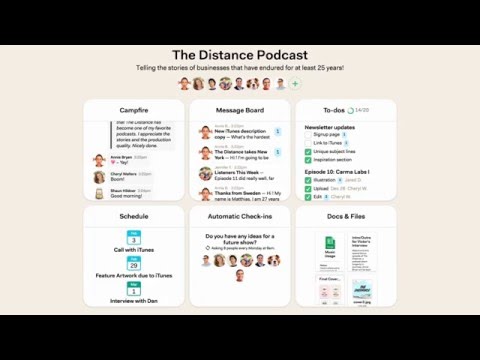
Video Title: Basecamp 3 – Intro & Overview
Duration: 1 Minute 46 Seconds
Why it works:
- These customer onboarding videos begin with an overview of Basecamp, explaining how the app facilitates teamwork.
- The speaker discusses each tool individually. They provide basic overview, features, and demos on how to use them.
- This video uses screencast to show the UI of each tool.
- At the end of the videos, they effectively mention how users can seek further assistance.
6. Mailchimp
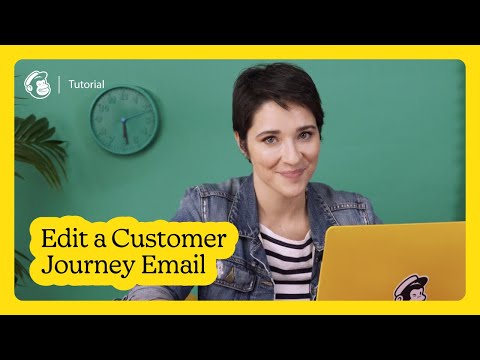
Video Title: UNLISTED – Edit an Email in Mailchimp’s Customer Journey Builder
Duration: 5 Minutes 19 Seconds
Why it works:
- This SaaS onboarding video focuses on editing an email in Mailchimp’s Customer Journey builder, narrated and explained by Mailchimp employee Mariana.
- The entire process is shown using the product’s UI. It helps the newly onboarded customers get familiar.
- A clever addition is a frame capturing Mariana in the bottom right corner.
- The Mailchimp sticker on her laptop reinforces branding and enhances the video’s recall value.
7. Raken
Making a video for B2B & SaaS products needs a different mindset.
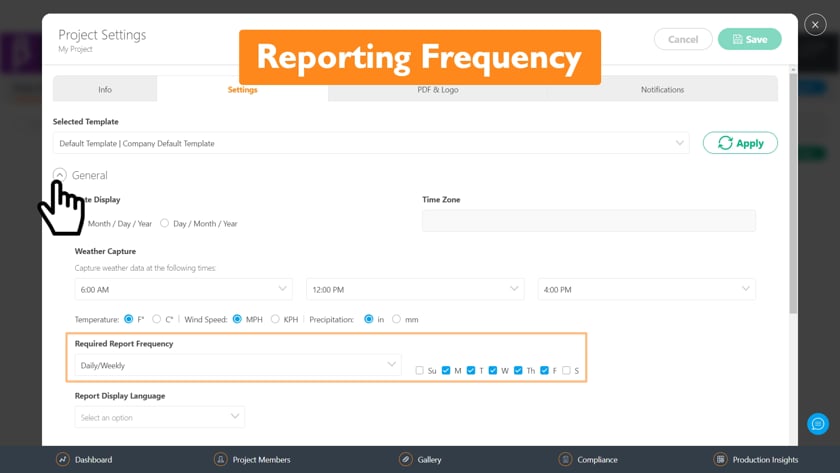
Video Title: [Raken] Creating a new project
Duration: 1 Minute 18 Seconds
Why it works:
- These customer onboarding videos begin by showcasing the problem-solving benefits of Raken.
- The video highlights Raken’s capabilities in project setup, speedy reporting, and field management.
- Engaging animated motion graphics and icons enhance the videos’ appeal.
- The host guides viewers through the app, explaining how to bridge communication gaps, build projects, and customize checklists using Raken.
8. Trello
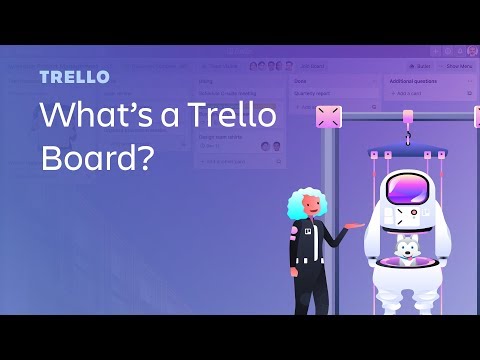
Video Title: What’s a Trello Board? | Start Here: Trello Tutorial
Duration: 4 Minutes 38 Seconds
Why it works:
- This SaaS onboarding video starts with an interesting clip of animated characters, highlighting the brand identity. The upbeat music pairs well with it.
- The presenter explains how to use the project management dashboard and with various lists, cards, etc.
- The video is divided in segments for ease of understanding.
- The video effectively helps in covering the basics of how to use Trello and ends with their logo animation.
9. Airtable
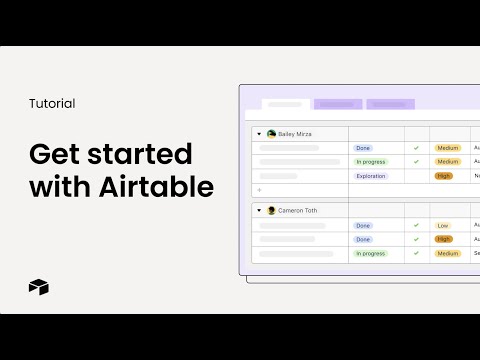
Video Title: How to Use Airtable & Getting Started Tutorial
Duration: 3 Minutes 55 Seconds
Why it works:
- Airtable’s customer onboarding videos rely entirely on UI screen recordings accompanied by voiceover.
- The narrator explains how to start using Airtable in simple steps. The video is divided in bite sized sections for ease of understanding.
- The video ends with instructions on where to find more such videos for better product adoption.
10. Square
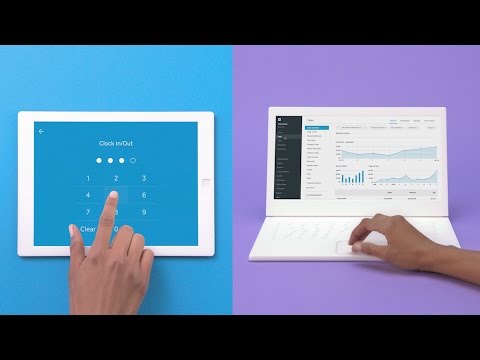
Video Title: How Square Works
Duration: 2 Minutes 24 Seconds
Why it works:
- This SaaS onboarding video showcases Square’s innovative approach to explaining its various use cases.
- The video combines 3D animation, 2D animation, kinetic typography, live footage, and images to keep the content entertaining throughout.
- Using the UI, it explains how to name and organize products, take pictures for faster checkout, grant secure employee permissions, etc.
- The video explains how the Square app operates on both laptop and mobile devices.
We know how to sell your story using your product UI
11. Pry

Making a video for B2B & SaaS products needs a different mindset.
Video Title: Pry
Duration: 1 Minute 51 Seconds
Why it works:
- These customer onboarding videos combine techniques to engage users and explain the product features.
- Animations incorporated with screen recordings of the UI help in understanding Pry while pop-ups give a better view of the features.
- The color scheme and styles are soothing and the voiceover is steady and easy to follow.
- This onboarding video ends with a CTA that mentions a 14 day free trial.
12. Monday.com
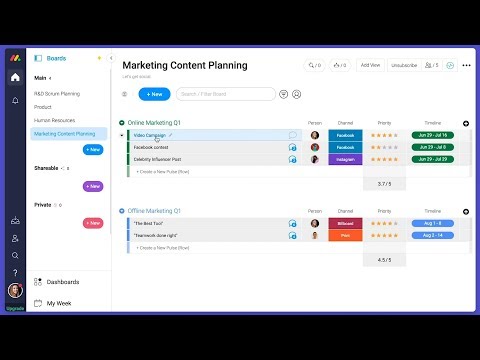
Video Title: Everything You Can Do with monday.com!
Duration: 5 Minutes 14 Seconds
Why it works:
- The entire SaaS onboarding video has been created using the UI on a desktop device.
- The video reinforces the brand identity and color schemes of monday.com.
- The viewers get to see how to use customizable boards, how to make integrations with outside services, etc.
- The video alternates instructional segments with statistics, live action, or stock footage.
- The video also promotes the various additional features of the software.
13. Salesforce

Video Title: How to Get Started with Data Prep | Salesforce
Duration: 4 Minute 16 Seconds
Why it works:
- Salesforce customer onboarding videos use product UI to show the process.
- The screencast makes it easy to understand how data flows. Colorful icons clarify each step.
- The cartoonish intro captures attention and keeps the video engaging while explaining complex concepts simply.
- The step-by-step explanation is straightforward and focuses on practical examples, making it relatable and easy to follow for users.
14. Moz
Video Title: Keyword Research in Keyword Explorer Overview
Duration: 2 Minutes 36 Seconds
Why it works:
- The live presenter adds a personal touch, making customer onboarding videos more engaging
- Detailed screen recordings provide clear visual guidance, helping users understand the tool’s features in real-time.
- Highlighting key metrics and practical steps ensure users can quickly apply the tool for keyword research and SEO analysis.
15. Twitter

Video Title: Twitter Safety & Abuse Video
Duration: 1 Minute 17 Seconds
Why it works:
- The video demonstrates how features like mute, block, and report help users manage their Twitter experience.
- It supports both new and existing users with a clean, minimalistic line drawing animation that enhances clarity.
- The animation in this SaaS onboarding video aligns with Twitter’s branding guidelines, maintaining a consistent brand identity.
16. Slack
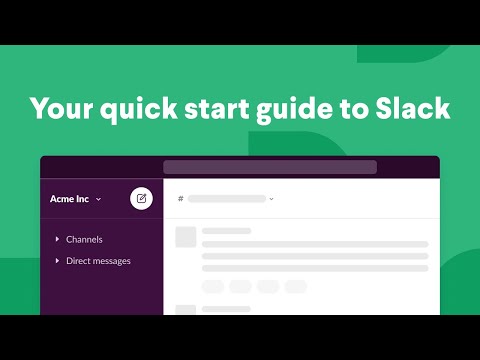
Video Title: How to use Slack | Your quick start guide | Slack 101
Duration: 1 Minute 15 Seconds
Why it works:
- This onboarding video explains all the main features that new users need to know.
- The simple animation is consistent with the branding guidelines and will remain relevant even after upcoming UI changes.
- The upbeat background music plays softly to minimize distractions, making it effective for customer onboarding videos.
17. Ahrefs

Video Title: How to Create a New Project (Ahrefs’ Site Audit Tutorial)
Duration: 3 Minutes 8 Seconds
Why it works:
- The SaaS onboarding video provides clear, step-by-step instructions, making it easy for new users to follow.
- It uses real-time examples, ensuring a practical understanding of how to apply the tool to specific tasks.
- The screencast video enhances clarity, showing users exactly what to expect during setup.
18. Xero

Video Title: Get to know Xero essentials
Duration: 13 Minutes 54 Seconds
Why it works:
- The SaaS onboarding video uses clean slides and consistent branding to focus on key information.
- Screen recordings showcase Xero’s features, allowing viewers to see how the software functions and its benefits.
- Time stamps provide easy navigation, enabling viewers to quickly access specific sections of interest.
19. Zoom

Video Title: What is Zoom Webinar?
Duration: 2 Minutes
Why it works:
- The video features a live presenter who guides users through Zoom Video Webinars setup, making it easy to follow.
- Screencast clips in customer onboarding videos show each feature in action, helping users understand how to use the platform.
- Time stamps and step-by-step walkthroughs allow users to quickly find information and learn how to host webinars effectively.
20. Grammarly

Video Title: Edit Essays Faster | Grammarly
Duration: 1 Minute 10 Seconds
Why it works:
- This SaaS onboarding video shows a live person using Grammarly, making it easy for viewers to connect with the tool.
- It includes a UI showcase, highlighting various features such as grammar suggestions, plagiarism checks, etc.
- The video has clear calls to action throughout the video. This encourages viewers to start using Grammarly, to improve their writing.
Benefits of Customer Onboarding Videos
A few essential benefits of creating optimized customer onboarding videos include:
1. Improved customer experience
They provide an improved customer experience by giving a visual walkthrough. It makes the onboarding process more clear and appealing.
2. Increased adoption and retention of customers
These videos simplify the product. It leads to increased adoption and retention.
3. Reduced support costs
These videos reduce the need for personal assistance or hands-on customer support.
4. Reduced timing of first success
Customers learn faster through visual guides. It reduces the adaptation time.
5. Reduced customer support tickets
These videos reduce the need for customer support tickets by addressing common user queries.
6. Decomplexified UI
A SaaS onboarding video can simplify the user interface, making navigation easier for users.
7. Train customers by passing information about the SaaS
These videos act as training tools, passing on vital information about the SaaS product to the customers.
8. Reduced churn
These videos aid in increased adoption and customer retention, which in turn reduces churn.
We know how to sell your story using your product UI
Types of Customer Onboarding Videos
Onboarding videos come in various types, each serving a specific purpose and audience –
1. Welcome Video
Welcome videos are often the first introduction in customer onboarding videos, providing a warm greeting and overview. They may include messages from leadership for new hires or gratitude for customers.

2. Orientation Video
Orientation videos introduce new hires or clients to a company’s mission, values, and key policies. They cover important guidelines like HR procedures, safety, and legal compliance.
3. Training Video
Training videos teach new hires or customers how to complete tasks or use products. They provide step-by-step instructions for software, procedures, or services.

4. Product Walkthrough Videos
These videos are typically aimed at customers to provide a guided tour of a product’s features and functionalities. They are especially common in the tech and B2B industries.
5. Company Culture Video
Corporate onboarding videos showcase the company’s culture, including values and work style. They often feature testimonial snippets, event clips, and behind-the-scenes moments.

6. Product Onboarding Videos
These SaaS onboarding videos serve as a step-by-step guide for new customers, helping them get started with the product efficiently. These present how to use specific features or functionality within the SaaS product.
7. App onboarding video
It educates users on the functionality and benefits of a specific app and how to use it. The main goal is to help the user understand how the app works and its benefits.
8. FAQ or Troubleshooting Videos
A FAQ video addresses common user questions and provides quick solutions, ensuring a smooth and efficient start with the product.
We have made videos for 200+ B2B & SaaS companies. Explainer Video, Product Demo, Remote Video Testimonials, and more.
What should an Onboarding Video Include?
An effective SaaS onboarding video should aim to spark interest, inform, and motivate new hires or customers. The content might vary depending on the product/service and the audience.
The anatomy of an onboarding video includes the following:
1. The Introduction
Start customer onboarding videos with a warm welcome. Introduce the company or the product and set the tone for the rest of the video.
2. Purpose
Clearly state the purpose of the video. Let the viewers know what they will gain from it. This sets expectations and helps the viewer understand the video’s relevance.
3. The Script
Write a clear, concise SaaS onboarding video script that covers all the necessary information. Keep the language simple and easy to understand. Make sure it’s well-structured and easy to follow.
4. Content
This is the main body of the video. Ensure that the content aligns with the purpose you’ve stated. It should be relevant, informative, and valuable to the viewer.
5. Storytelling
Use storytelling techniques to make the content more engaging. Instead of simply listing facts, turn them into a narrative.
6. Visual Aids
Visual elements can greatly enhance your customer onboarding videos. Incorporate relevant images, graphics, animations, screenshots, or live-action footage to support your content.
7. The Setup
The setup includes the technical aspects of creating the video. Ensure good video and audio quality. If you’re filming people, ensure they are well-presented and comfortable on camera.
8. Support
Let viewers know where they can get more information or assistance if they need it. This might involve providing contact details for the support team, links to additional resources, or instructions on how to access further training.
9. Closure
Wrap up the video with a concise summary of the main points and reinforce the key points. Thank the viewer for their time and invite them to take the next step.
Remember, an onboarding video is often one of the first points of contact for new hires or customers. Make sure it is representative of your brand and leaves a positive impression.
Steps to Create a Customer Onboarding Video
Let’s have a look at the step-by-step breakdown of the SaaS onboarding video process –
Step 1 - Identify your target audience
Get a clear picture of who your users are and what they need to understand about your product.
Step 2 - Define your video objectives
What should users take away from the video? This might be how to get started with your product, best practices, or an overview of key features. Decide on the key points accordingly.
Step 3 - Develop a script
Outline the information you’ll present and how you’ll present it.
Step 4 - Record the video
This could involve screen recording your product in use, using animations, or filming people demonstrating your product.
Step 5 - Review and edit
Make sure your video is clear, interesting, and provides the information you want to convey.
Step 6 - Share the video
Distribute your customer onboarding videos through relevant channels like your website, social media, or within the product itself.
We know how to sell your story using your product UI
Best Practices to Create Effective Customer Onboarding Videos
It is important to create customer onboarding videos that are intriguing, informative, and easy to follow. Here are some best practices to keep in mind:
1. Keep it short and sweet
Most customers don’t have the patience or attention span for long, complex videos. Keep your onboarding videos short and focused, ideally under three minutes.
2. Use clear, simple language
Avoid technical jargon and industry buzzwords. Use clear, easy-to-understand language that your customers can relate to.
3. Show, don't tell
Use visuals and animations to illustrate key concepts and actions. This can help customers understand the material more quickly and easily.
4. Use a conversational tone
Your SaaS onboarding video should be approachable and friendly. Use a conversational tone that makes customers feel like they are talking to a real person, rather than a corporate entity.
5. Test and iterate
Don’t be afraid to test different formats and approaches to see what works best for your customers. Collect feedback and iterate on your videos over time to continually improve their effectiveness.
Customer onboarding videos are a powerful tool for businesses looking to improve the customer experience, reduce support costs, and increase adoption and retention rates. By following these best practices, businesses can create effective onboarding videos that help customers get up and running quickly and with confidence.
Why Choose Content Beta?
Want to create such effective customer onboarding videos? Choose Content Beta. Our Creative as a Service (CaaS) plans are designed to fully support tech companies.
How are we unique?
- Transparency & Zero Wastage: We provide transparent pricing plans with no hidden fees. Any remaining credits in your plan or subscription will be carried over to the next billing cycle.
- Easy Collaboration: Our cloud-based platform enhances seamless collaboration between your team and ours. We’re always available in your Slack for new requests, feedback, and conversations.
- Quick Response: We ensure a speedy delivery (24-hour) without any compromise on quality. Apart from these, Content Beta also offers rapid responses.
For brands looking for fast and high-quality video & design delivery, we are your ideal choice.
Book a demo call to get a quote!
Final Thoughts
Customer onboarding videos engage new customers in creative ways. Each video is tailored to fit the audience’s needs, whether through humor, storytelling, or visual elements.
A SaaS onboarding video helps retain customers better than text. They clearly show how a product works and communicate your brand’s message.
Creating an impactful onboarding video doesn’t have to be costly. With a clear focus on your goals, even simple videos can make a big difference. In today’s digital world, investing in onboarding videos is more important than ever.
Frequently Asked Questions (FAQs)
How do customer onboarding videos improve retention and engagement?
Customer onboarding videos improve retention and engagement in the following ways:
- attract new customers.
- enhance user experience and satisfaction.
- by simplifying complex concepts, they facilitate better understanding.
- examples showcased in videos build confidence.
- encourage interaction and feedback for continuous improvement.
Do people watch customer onboarding videos?
Yes, people watch customer onboarding videos. SaaS companies who have used videos to educate and train customers have seen great response to adoption of the product. Most surveys have shown that people watch a video to understand how to use a product or to solve any UI-related doubts.
How long should a customer onboarding video be?
A customer onboarding video should ideally be under three minutes in length. The length can vary depending on the complexity and quantity of content.
What is customer onboarding in SaaS?
Customer onboarding in SaaS is the process of helping a customer immediately after the sign up to understand and adopt the product.
How do I onboard new SaaS customers?
The most effective practices of onboarding new customers are:
- the onboarding process needs to be simple,
- the product value should be offered upfront,
- communication and customer support need to be available,
- sign-up process should be effortless and frictionless,
- onboarding videos need to be available for every step of the process.
Why are onboarding videos important for new employees/customers?
Onboarding videos are important for new employees and customers for several reasons:
- Orientation: They provide a quick and easy way to introduce the company’s mission, values, and culture.
- Efficiency: They allow information to be absorbed at the viewer’s pace and can be referred back to at any time.
- Engagement: They are a more interesting way to convey information compared to text-based materials.
- Accessibility: They can be accessed and viewed at the convenience of the viewer, reducing the need for scheduling coordinated sessions.
Can onboarding videos replace in-person orientation sessions?
Onboarding videos can complement in-person orientation sessions, but they can’t entirely replace them.
Videos are excellent for standardizing information and can be referred to at any time. But in-person sessions allow for real-time interaction, personalized guidance, and immediate answers to questions.
Should our onboarding videos be professionally produced or can we create them in-house?
Creating videos in-house can be a cost-effective solution, particularly if you have the necessary skills and equipment. It offers control over the entire process and lends
On the other hand, hiring professionals to produce your onboarding videos ensures high-quality content. You can leverage industry expertise, and save your team time. They bring a polished, expert touch to the videos, which could elevate your brand’s perceived value.
In the end, the decision depends on factors like onboarding video cost, time constraints, internal resources, and the desired quality and impact of the videos.
What platforms can we use to host our onboarding videos?
The platforms you can use to host your onboarding videos are:
- Your Company Website: Embed videos directly into relevant pages.
- Learning Management Systems (LMS): Platforms like Moodle, TalentLMS, or Docebo are ideal for employee onboarding.
- YouTube: A popular platform for public-facing videos.
- Vimeo: It offers more control over privacy and branding.
- Wistia: It is designed for business use, with robust analytics.
Remember to choose a platform that suits your audience, content, and security needs.
We have made videos for 200+ B2B & SaaS companies. Explainer Video, Product Demo, Remote Video Testimonials, and more.