


 ChatGPT
 Perplexity
 Gemini
Watching video testimonial examples helps you answer basic planning questions before you involve customers. Study different formats and styles, observe what works, and make clear choices early instead of fixing mistakes and finding workarounds later.
Do we need to hire an on-site crew, or does a remote setup work just as well?
Should it stay as a talking head, or include the customer working, walking into the office, or using their laptop?
Do we add b-roll from their day-to-day work?
How long should the final cut be?
Should we open with a strong quote from the middle of the interview?
Should product UI appear briefly during the story, or stay out completely?
Do we create a mashup by combining multiple video testimonials?
What kind of questions should we ask in the testimonial interview? These may differ by industry and the type of product or solution.
To help you answer these questions and more, we curated a mix of 30 video testimonial examples with quick notes that address basic planning and post-production decisions before you start collecting customer testimonial videos, not after.
Video vs text testimonials: Which one wins?
Speaking about video vs text testimonials, video testimonials usually win because they show real people, real expressions, and real emotion, which builds trust much faster than text alone. Text testimonials are easier to scan, but video creates stronger credibility and connection.
What to say in a testimonial video?
Start with the problem you had before. Explain what wasn’t working. Share why you chose the product. Describe what changed after adoption. Focus on outcomes, not features. Keep it specific. Speak from experience. Avoid rehearsed language.
Why are testimonial videos great for SaaS & B2B Tech?
SaaS value appears over time, not instantly. Decisions affect teams, budgets, and workflows. Testimonial videos show real adoption, usage, and results. They reduce perceived risk. They help buyers justify decisions internally with proof from peers.
Can I use zoom recording for my video testimonials?
Yes, you can use Zoom recordings for video testimonials, especially when you want to capture real customer stories quickly without a complex setup. With good lighting, a quiet environment, and clear framing, Zoom videos can feel natural, authentic, and work well for testimonial use.
We have made videos for 200+ B2B & SaaS companies. Explainer Video, Product Demo, Remote Video Testimonials, and more.
30 Best Testimonial Video Examples
We reviewed 30 testimonial videos using a consistent evaluation checklist focused on structure, production choices, and storytelling style. The goal is to help you spot patterns easily and compare which combinations are the right fit for your video testimonials.
1. Panorays: Cyber Risk Management Platform Testimonial Video
Panorays is a comprehensive third-party cyber risk management platform, monitoring Risk DNA for early threat detection and proactive defense.

Disclosure: The video testimonial example shown here was edited by Content Beta for Panorays.
Why this works? This video testimonial uses a clear outcome-first strategy to get your attention early. The speaker opens with ease of use, not the product pitch. The problem is specific and measurable third-party assessments taking a full day. The solution is explained through workflow change showing how manual steps were removed and decisions became faster.
The video stays tight at 120 – 180 seconds, uses direct-to-camera delivery, and avoids b-roll. Animated UI appears briefly to support, not distract. Editing does the heavy lifting by compressing a long interview into clear decision points. Here’s a table of key observations from this testimonial video:
| Review Criteria | Our observation |
|---|---|
| Video Duration | 2 minutes |
| Video Capture Setup | On-site team at an event |
| Product UI Overlay | Animated simplified UI |
| B-Roll | No |
| On-screen animated callouts | Text & suggestive images |
| Background Music used? | Yes |
💡Bonus Tip: Questions being answered (explicitly or implicitly) in this B2B testimonial video interview:
- What was missing before [product name]?
- Why did you decide to go with [product name]?
- What changed after implementation?
- What is the main benefit you get from [product name]?
- Who benefits from [product name]?
- Why would you recommend it?
💡Explore more examples of cybersecurity video testimonials from our curated collection.
2. Google: Employee Culture & Innovation Testimonial Video
Google is a global technology company building products used by billions of people worldwide.

Why this works? This video testimonial works because it focuses on lived experience instead of perks or promises. The speaker talks about impact, curiosity, learning, and freedom in their own words. There is no script-heavy selling. Instead, the message is clear: people stay because the work stretches them, the culture supports them, and the mission feels meaningful.
By highlighting collaboration, diversity of thought, and shared ownership, Google positions itself as a place where strong ideas matter more than hierarchy. This approach builds trust and emotional pull, making it one of the strongest employee testimonial video examples for employer branding.
Here’s a table of key observations from this testimonial video:
| Review Criteria | Our observation |
|---|---|
| Video Duration | ~2 minutes |
| Video Capture Setup | On-site team at Google |
| Product UI Overlay | No |
| B-Roll | No |
| On-screen animated callouts | Text-based statements |
| Background Music used? | Yes |
💡 Bonus Tip: Questions being answered (explicitly or implicitly) in this testimonial video:
- What attracted you to Google in the first place?
- Why does Google’s culture feel different from other companies?
- What makes working at Google exciting on a daily basis?
- How does Google help you grow beyond your current skill set?
- What role does collaboration and diversity play at Google?
- Why does the company’s mission matter to you personally?
3. TruckStop: Load Board & New Authority Feature Testimonial Video
TruckStop is a load board platform for owner-operators that helps connect drivers with brokers, including a feature for new authorities to find partners quickly.

Why this works? This testimonial works because it clearly explains the specific pain points for new owner-operators: struggling to get loads and finding brokers that trust a new authority. The speaker’s personal experience, two weeks without work, quickly turns into success with TruckStop’s new authority feature, which directly addresses his problem.
The video not only highlights the solution but also the broader appeal: TruckStop is for both new drivers and seasoned pros. With a clear ROI (over 20 loads in two months), this freight logistics tech testimonial becomes a strong case for the platform, showing real-world business value.
Here’s a table of key observations from this testimonial video:
| Review Criteria | Our observation |
|---|---|
| Video Duration | ~1 minute 40 seconds |
| Video Capture Setup | Single speaker, informal testimonial |
| Product UI Overlay | No |
| B-Roll | No |
| On-screen animated callouts | No |
| Background Music used? | Yes |
💡 Bonus Tip: Questions being answered (explicitly or implicitly) in this testimonial video:
- What were your challenges as a new owner-operator without a trailer?
- Why was it difficult to get loads at first?
- How did TruckStop’s authority feature help you find brokers?
- What made TruckStop’s load board stand out from others?
- How did TruckStop change your day-to-day business operations?
- How does TruckStop support both new and experienced drivers?
4. Glassdoor: Employer Branding & Recruiting Testimonial Video
Glassdoor is an employer branding and recruiting platform that helps candidates research companies and apply with context.

Why did this work? This testimonial works because it replaces assumptions with proof. The speaker explains how Glassdoor shifted hiring from volume to quality. Candidates arrived informed, aligned, and motivated, reducing effort across the funnel. Clear numbers reinforce credibility: cost per hire, total spend, and candidate behavior data.
By showing how employer reputation directly impacts recruiting efficiency, the video teaches a practical lesson for B2B teams. Strong testimonials don’t just talk about reach. They show how trust, transparency, and preparation change outcomes, making this one of the best testimonial videos in recruiting.
Here’s a table of key observations from this testimonial video:
| Review Criteria | Our observation |
|---|---|
| Video Duration | ~ 2 minutes |
| Video Capture Setup | On-site interview |
| Product UI Overlay | No |
| B-Roll | No |
| On-screen animated callouts | No |
| Background Music used? | Yes |
💡 Bonus Tip: Questions being answered (explicitly or implicitly) in this testimonial video:
- What was missing in your recruiting process earlier?
- Why did you start using Glassdoor seriously?
- How did candidate quality change after using Glassdoor?
- What hiring metrics improved after adoption?
- How does Glassdoor compare with LinkedIn and job boards?
- Why did you increase budget allocation to Glassdoor?
5. Slack: Team Communication Platform Testimonial Video
Slack is a team communication platform designed to bring messaging, files, and tools into one shared workspace.

Why this works? This video testimonial works because it captures real resistance to change. The speaker openly admits they were “doing fine” before Slack, which builds credibility. The story then shows how growth exposed hidden inefficiencies. Instead of listing features, the video demonstrates usage through everyday moments, channels, integrations, and mobile continuity.
The result is not just faster communication but calmer workdays and better alignment. For B2B teams, this video shows that strong testimonials don’t oversell transformation. They explain why the old way stopped working and how a new system quietly replaced the chaos.
Here’s a table of key observations from this testimonial video:
| Review Criteria | Our observation |
|---|---|
| Video Duration | ~2 minutes 30 seconds |
| Video Capture Setup | On-site interview |
| Product UI Overlay | Yes |
| B-Roll | No |
| On-screen animated callouts | No |
| Background Music used? | Yes |
💡 Bonus Tip: Questions being answered (explicitly or implicitly) in this testimonial video:
- What was broken or limiting before Slack?
- Why wasn’t email and Dropbox sustainable anymore?
- Why did you decide to try Slack?
- How did Slack change daily communication?
- What features made Slack stick?
- What impact did Slack have on team happiness and productivity?
6. ScaleX: Business Value Explainer Video Testimonial Video
ScaleX is a B2B company offering a platform that helps businesses effectively communicate their value propositions with targeted, impactful content.

Disclosure: The video testimonial example shown here is one of many Content Beta’s clients.
Making a video for B2B & SaaS products needs a different mindset.
Why this works? ScaleX wanted a succinct, impactful video that could quickly convey the business value of their offering. This testimonial works because it blends speed and impact. The speaker explains how their previous video vendors were lacking in quality and efficiency. Then, they highlight how Content Beta took charge of the script, visuals, and refinement, delivering a polished 1:20 video in just eight business days.
The payoff is clear: when the video was shown to the first prospect, it led directly to a contract request. This is one of the best professional video testimonials showing how a short, professional explainer can replace long-winded slides and move the sales cycle forward with precision and speed.
Here’s a table of key observations from this testimonial video:
| Review Criteria | Our observation |
|---|---|
| Video Duration | ~1 minute 30 seconds |
| Video Capture Setup | Single speaker, interview-style |
| Product UI Overlay | Yes |
| B-Roll | No |
| On-screen animated callouts | Yes |
| Background Music used? | Yes |
💡 Bonus Tip: Questions being answered (explicitly or implicitly) in this testimonial video:
- What was not working with your earlier video vendors?
- Why did you switch to Content Beta?
- What did Content Beta handle end-to-end during production?
- How fast did you get the final asset?
- What changed in sales conversations after using the 1:20 video?
- Why is a short video better than a long slide walkthrough for your buyers?
7. Codecademy: Online Coding Education Platform Testimonial Video
Codecademy is an online learning platform that helps people learn coding through guided lessons and projects.

Why this works? This video works because it starts with a big social-proof hook, then immediately shifts into a personal moment (“hello world… magic”). It stays specific. A real project. A real timeline. And a simple payoff: turning ideas into something real.
The story also avoids feature talk. It focuses on identity change—“I can create anything now.” That makes it one of the best video testimonial examples for learning products, because viewers can picture their own before-and-after. If you want this format to land, lead with scale, then prove it with one clear win.
Here’s a table of key observations from this testimonial video:
| Review Criteria | Our observation |
|---|---|
| Video Duration | ~1 minute |
| Video Capture Setup | Single speaker, direct-to-camera (UGC-style) |
| Product UI Overlay | No |
| B-Roll | Yes (supporting visuals + project context) |
| On-screen animated callouts | Yes (bold social-proof text hook) |
| Background Music used? | Yes (music bed) |
💡 Bonus Tip: Questions being answered (explicitly or implicitly) in this testimonial video:
- What changed for you after learning to code on Codecademy?
- What was your first “aha” moment?
- What did Codecademy help you create that you couldn’t before?
- How fast did you see real project results?
- Why does learning to code feel like a life unlock for you?
8. Guardz: Unified Cybersecurity Portal for MSPs Testimonial Video
Guardz is a unified cybersecurity platform that helps MSPs manage, monitor, and protect their clients through a single, real-time security dashboard.

Why this works? The speaker names two clear pains: vendor sprawl and a visibility gap. Then he shows the fix in plain words: one portal, one dashboard, one place to check the whole client posture. The proof is not a vague claim. He shares a real incident where an end user got “two factor fished,” and Guardz caught it in real time, locked the account, and stopped a breach.
That story makes it one of the best cybersecurity testimonial videos for showing how a platform improves both operations and customer trust.
Here’s a table of key observations from this testimonial video:
| Review Criteria | Our observation |
|---|---|
| Video Duration | 1 minute 41 seconds |
| Video Capture Setup | Single speaker, interview-style |
| Product UI Overlay | Yes |
| B-Roll | Yes |
| On-screen animated callouts | Yes |
| Background Music used? | Yes |
💡 Bonus Tip: Questions being answered (explicitly or implicitly) in this testimonial video:
- What was broken before Guardz (vendor sprawl, visibility)?
- Why did one portal matter for your MSP workflow?
- How does incident response work day to day with Guardz alerts?
- What happens when there is a real account takeover attempt?
- How do clients use the portal themselves?
- What changed in client confidence after rollout?
- Why is real-time customer experience critical for your product development?
9. Dropbox for Business: File Collaboration & Remote Work Testimonial Video
Dropbox for Business helps teams store, share, and collaborate on work files in one secure place.
Why this works? This video works because it anchors the story in outcomes, not features. The speaker starts with a simple goal: make work easier for the team. Then they get specific about real use- sharing customer files, supporting remote workers, and speeding up day-to-day work. The strongest moment is the security stake: “all of our company IP exists on these folders,” which explains the buying decision fast.
They also tie Dropbox to business reality, revenue swings and overhead control, so it feels practical, not idealistic. If you’re collecting testimonial video ideas, this is a great template: goal → workflow → risk → business impact.
Here’s a table of key observations from this testimonial video:
| Review Criteria | Our observation |
|---|---|
| Video Duration | ~2 minutes |
| Video Capture Setup | Multiple speakers, interview-style |
| Product UI Overlay | No |
| B-Roll | No |
| On-screen animated callouts | No |
| Background Music used? | Yes |
💡 Bonus Tip: Questions being answered (explicitly or implicitly) in this testimonial video:
- What were you trying to improve for your team?
- What was missing before Dropbox for Business?
- Why did you decide to go with Dropbox for Business?
- How does it help you collaborate with customers?
- How did remote work get easier after switching?
- Why was security the deciding factor?
- How does it help you control overhead and scale?
10. Exclusive Cars: Premium Vehicle Purchase Experience Testimonial Video
Exclusive Cars is a premium vehicle dealership offering exceptional service and a smooth car-buying experience for both local and remote customers.

Why this works? This auto dealership dms testimonial works because it emphasizes a humanized, customer-first approach to sales. Multiple clients share their satisfaction with the no-hassle, easy process, praising Exclusive Cars for making car buying straightforward and enjoyable. The dealership excels in clear communication, personalized services (hot towels, detailed walkthroughs), and offering a transparent, trustworthy process.
This B2C testimonial video highlights the strength of repeat customers and the dealership’s ability to accommodate remote buyers, with numerous references to both product quality (Tesla, Lexus) and service excellence. If you want to show the impact of great service in customer experience, this is a top-tier example.
Here’s a table of key observations from this testimonial video:
| Review Criteria | Our observation |
|---|---|
| Video Duration | ~4 minutes 30 seconds |
| Video Capture Setup | Multiple speakers, testimonial-style (customers) |
| Product UI Overlay | No |
| B-Roll | Yes (vehicle shots, customer interactions) |
| On-screen animated callouts | No |
| Background Music used? | Yes (soft background music) |
💡 Bonus Tip: Questions being answered (explicitly or implicitly) in this testimonial video:
- Why did you choose Exclusive Cars for your purchase?
- What was your experience like during the buying process?
- How did Exclusive Cars go above and beyond with service (e.g., hot towels, vehicle walkthrough)?
- How did the communication and support throughout the process feel?
- What made this car purchase different from others?
- Why would you recommend Exclusive Cars to others?
11. HubSpot: CRM & Video Marketing Platform Testimonial Video
HubSpot is a CRM and inbound marketing platform designed to help businesses track, measure, and grow customer relationships.

Why this works? This testimonial works because it shows a mindset shift, not just a tool switch. The founder admits they believed in content and video but lacked proof. The turning point comes with measurement. By connecting HubSpot with Wistia, video stops being a cost and becomes a sales signal. The story then escalates to business impact, moving from cold outreach to inbound demand.
For marketers, this is one of the clearest video testimonial examples of how measurement changes confidence, sales behavior, and growth direction. The lesson is simple: belief scales only when paired with data.
Here’s a table of key observations from this testimonial video:
| Review Criteria | Our observation |
|---|---|
| Video Duration | ~3 minutes |
| Video Capture Setup | Founder interview, on-site |
| Product UI Overlay | Yes |
| B-Roll | Yes (events, work context) |
| On-screen animated callouts | No |
| Background Music used? | Yes |
💡 Bonus Tip: Questions being answered (explicitly or implicitly) in this testimonial video:
- What was not working in your marketing before HubSpot?
- Why did measuring ROI become important to you?
- Why did you decide to adopt HubSpot?
- How did SaaS video marketing change once it became measurable?
- How did HubSpot impact your sales process?
- What business outcome changed most after implementation?
12. Pismo: Credit Card Product & Real-Time Banking Solution Testimonial Video
Pismo offers a flexible banking platform that enables real-time credit card issuance and seamless integration for fintech companies.

Why this works? This banking fintech testimonial works because it shows Pismo’s impact in enabling Brubank to deliver a unique, real-time banking product. The speaker shares the challenge of finding a provider that could meet their need for quick, flexible integration and immediate product delivery.
Pismo’s API allowed them to offer customers instant access to virtual cards and a smooth user experience. By focusing on flexibility and real-time updates, Pismo helped Brubank scale and innovate rapidly. For fintech companies, this is one of the best testimonial videos of how B2B platforms can fuel innovation and growth with fast, reliable solutions.
Here’s a table of key observations from this testimonial video:
| Review Criteria | Our observation |
|---|---|
| Video Duration | ~4 minutes |
| Video Capture Setup | Single speaker, interview-style |
| Product UI Overlay | Yes (mentions virtual and physical cards) |
| B-Roll | No |
| On-screen animated callouts | No |
| Background Music used? | Yes (emotional, soft background music) |
💡 Bonus Tip: Questions being answered (explicitly or implicitly) in this testimonial video:
- What was the initial challenge for Brubank in launching credit card products?
- Why did you need a real-time banking experience for your customers?
- How did Pismo solve your credit card launch challenge?
- What makes Pismo’s API integration and flexibility valuable for Bruang?
- How did you differentiate your credit card offering from competitors?
13. Census: Reverse ETL & Data Activation Testimonial Video
Census helps teams sync data from their analytics warehouse into tools like Salesforce, Intercom, and HubSpot.

Why does this work? This video works because it starts with a real pain: a “janky” setup that was slow to change and expensive to run. The speaker explains the effort clearly:- SQL edits, Zapier updates, reconnecting pieces, so the problem feels real, not abstract. Then they show the simple win: one tool replaces the patchwork and “just worked” once set up.
They also add proof (“mid tens of thousands” saved) and connect it to impact: more relevant experiences for users in the moment. In a B2B testimonial video interview, that mix of pain + proof + daily use is the formula.
Here’s a table of key observations from this testimonial video:
| Review Criteria | Our observation |
|---|---|
| Video Duration | ~2 minutes |
| Video Capture Setup | Single speaker, interview-style |
| Product UI Overlay | No |
| B-Roll | No |
| On-screen animated callouts | Yes |
| Background Music used? | Yes |
💡 Bonus Tip: Questions being answered (explicitly or implicitly) in this testimonial video:
- What was missing in your setup before Census?
- Why did the old Zapier + SQL process stop working?
- Why did you choose Census over continuing to patch the system?
- What tools are you syncing data into, and why?
- What did you save after switching (time, cost, effort)?
- How does this change the customer experience you can deliver?
14. Kissflow: Workflow Automation & Training Video Testimonial Video
Kissflow is a no-code workflow automation platform that simplifies business processes without needing technical expertise.

Disclosure: The video testimonial example shown here is from one of many Content Beta’s clients
Making a video for B2B & SaaS products needs a different mindset.
Why this works? This testimonial works because it highlights a challenge many businesses face when trying to train internal teams on complex no-code platforms like Kissflow. Initially, the speaker relied on text-based documentation, but quickly realized video was a more effective medium for conveying product knowledge.
The key value here is partnering with the Content Beta team who understands Kissflow deeply, helping guide the video production and workflow design. The result is an easily digestible and accessible training tool that accelerates onboarding and user adoption. For b2b testimonial videos, this example shows how product knowledge and efficient training can go hand in hand.
Here’s a table of key observations from this testimonial video:
| Video Testimonial Review Criteria | Our observation |
|---|---|
| Video Duration | ~1 minute 30 seconds |
| Video Capture Setup | Single speaker, casual interview-style |
| Product UI Overlay | Yes |
| B-Roll | No |
| On-screen animated callouts | Yes |
| Background Music used? | Yes |
💡 Bonus Tip: Questions being answered (explicitly or implicitly) in this testimonial video:
- What were you trying to achieve with video content for Kissflow?
- Why did you move from articles to video for training purposes?
- What concerns did you have about producing video content for Kissflow?
- Why did you choose Content Beta who understood Kissflow specifically?
- How did Content Beta help you with video creation and workflow preparation?
- Why is video essential for training with a no-code platform like Kissflow?
15. American Express + Tradeshift Go: Virtual Card & Spend Control Testimonial Video
American Express, in partnership with Tradeshift Go, offers virtual card payments embedded into a purchase management platform.

Why does this work? This testimonial works because it walks through the process step by step. Viewers see how approvals, limits, and payments connect in one flow. The customer story focuses on control and clarity, not buzzwords. Single-use virtual cards tie spend to purpose, which reduces risk and guesswork.
The speaker also explains secondary benefits like cash flow and rewards, making the value feel complete. As far as b2b testimonial videos go, this is a strong example of showing systems in action rather than just claiming efficiency.
Here’s a table of key observations from this testimonial video:
| Video Testimonial Review Criteria | Our observation |
|---|---|
| Video Duration | ~2 minutes |
| Video Capture Setup | Mixed: narrator + customer interview |
| Product UI Overlay | Yes |
| B-Roll | Yes (workflow visuals) |
| On-screen animated callouts | Yes |
| Background Music used? | Yes |
💡 Bonus Tip: Questions being answered (explicitly or implicitly) in this testimonial video:
- What problem were you trying to solve in AP and spend control?
- Why were traditional cards, checks, or ACH not ideal?
- Why did you choose Tradeshift Go with American Express?
- How do virtual cards improve visibility and security?
- What financial benefits came from switching to this model?
- Why does this partnership work for your business?

We know how to sell your story using your product UI
16. Content Beta: SaaS Explainer Video Production Testimonial Video
We needed a clear way to explain what our product does, without long demos or repeated explanations.

Making a video for B2B & SaaS products needs a different mindset.
Why this works? This testimonial works because it focuses on clarity and speed. The speaker admits the vision was not fully formed at the start, which makes the outcome more believable. Content Beta helped shape the message, then delivered fast. The result is simple proof: fewer questions, higher conversion, and stronger product stickiness.
The repeat moment, showing a 1:20 video and being asked for a contract, anchors the value in sales impact, not creative praise. As business testimonial videos go, this is a clean example of how clarity compounds across marketing and sales.
Here’s a table of key observations from this testimonial video:
| Video Testimonial Review Criteria | Our observation |
|---|---|
| Video Duration | ~1 minute 30 seconds |
| Video Capture Setup | Customer interview, casual setting |
| Product UI Overlay | No |
| B-Roll | Yes |
| On-screen animated callouts | Yes |
| Background Music used? | Yes |
💡 Bonus Tip: Questions being answered (explicitly or implicitly) in this testimonial video:
- What problem were you facing before creating the video?
- Why was product clarity an issue earlier?
- What changed once the explainer video was live?
- How did speed and process affect the outcome?
- What business results showed up after using the video?
- Why did SaaS understanding matter in choosing a partner?
17. Amazon Business: E-commerce & Gifting Platform Partnership Testimonial Video
Amazon Business is a B2B e-commerce platform that provides businesses with a vast selection of products, reliable logistics, and efficient procurement solutions to streamline operations and support growth.

Why this works? This testimonial works because it connects Amazon Business’s broad product selection and logistical support to Throne’s rapid growth and success. The speaker explains that partnering with Amazon allowed Throne to scale quickly, ensuring reliable delivery and access to a wide range of products for creators in different niches.
By emphasizing the ease of logistics management (shipping, returns), the speaker highlights how a strong partner like Amazon allows Throne to focus on growth rather than operational concerns. This is a great B2B partnership testimonial showing how a strong supply chain partner can help a lean startup grow efficiently and sustainably.
Here’s a table of key observations from this testimonial video:
| Video Testimonial Review Criteria | Our observation |
|---|---|
| Video Duration | 2 minutes |
| Video Capture Setup | Single speaker, informal interview-style |
| Product UI Overlay | No |
| B-Roll | Yes |
| On-screen animated callouts | No |
| Background Music used? | Yes (light background music) |
💡 Bonus Tip: Questions being answered (explicitly or implicitly) in this testimonial video:
- Why did Throne need a wide variety of products for content creators?
- What challenges did Throne face in terms of logistics and product delivery?
- How did Amazon Business help solve those challenges?
- What sets Amazon Business apart in terms of reliability and speed for Throne’s business?
- How has Amazon Business supported Throne’s global operations?
- Why is Amazon Business seen as a key partner for Throne’s future growth?
18. Jira: Project Management & Collaboration Platform Testimonial Video
Jira is a project management tool that helps organizations streamline workflows, track progress, and collaborate in real-time.

Why this works? This b2b testimonial video interview works because it shows Jira’s impact on both operational efficiency and cost savings in a government setting. DHCS faced the challenge of modernizing processes, and Jira became a key enabler by offering transparency, customization, and advanced integrations. The real value shines in the cost reduction (from $1.5M to $600K) and the agile development pace (delivering software every 15 days).
The speaker highlights how Jira empowered teams and provided clear visibility into progress, making it one of the best B2B project management tools for organizations handling large-scale, government-driven projects.
Here’s a table of key observations from this testimonial video:
| Video Testimonial Review Criteria | Our observation |
|---|---|
| Video Duration | ~2 minutes 30 seconds |
| Video Capture Setup | Single speaker, interview-style |
| Product UI Overlay | Yes (mentions integrations like GitHub) |
| B-Roll | No |
| On-screen animated callouts | No |
| Background Music used? | Yes |
💡 Bonus Tip: Questions being answered (explicitly or implicitly) in this testimonial video:
- What challenges was DHCS facing before Jira?
- How did Jira help create a culture of efficiency and innovation?
- How did Jira improve collaboration across development teams and stakeholders?
- How does Jira facilitate real-time project updates and transparency?
- How did Jira help reduce project costs and speed up delivery?
- Why is Jira’s transparency crucial for DHCS in managing public sector projects?
19. MAFA: Clinical Trial & Cancer Treatment Testimonial Video
MAFA is a healthcare facility offering groundbreaking cancer treatments and clinical trials, including CAR-T, a therapy that saved this patient’s life.

Why this works? This testimonial works because it focuses on hope and resilience. The speaker’s journey from being told to “put your affairs in order” to becoming a clinical trial patient highlights the critical importance of clinical trials. The life-saving treatment not only saved the speaker’s life but also provided hope to others in similar situations.
The narrative captures the emotional weight of the treatment and its profound impact on quality of life. This is one of the most powerful healthcare testimonial videos, showing the human side of medicine and the life-changing potential of clinical trials.
Here’s a table of key observations from this testimonial video:
| Video Testimonial Review Criteria | Our observation |
|---|---|
| Video Duration | ~3 minutes 30 seconds |
| Video Capture Setup | Narrative storytelling, patient-focused |
| Product UI Overlay | No |
| B-Roll | Yes (healthcare environment, clinical moments) |
| On-screen animated callouts | No |
| Background Music used? | Yes (emotional, supportive) |
💡 Bonus Tip: Questions being answered (explicitly or implicitly) in this testimonial video:
- What was the moment when you first realized the severity of your condition?
- Why was the cancer diagnosis so shocking to you?
- How did you feel when you were given the option for a clinical trial?
- What was your hope going into the clinical trial?
- How did the treatment impact your life, both physically and emotionally?
- Why would you recommend MAFA for cancer treatment and clinical trials?
20. Airtable: Customizable Workflow & Collaboration Tool Testimonial Video
Airtable is a flexible, customizable workflow tool that helps teams manage processes and collaborate across departments
Why does this work? This testimonial works because it clearly connects Airtable’s value to Vimeo’s core business goals. The speaker explains how Airtable allowed them to consolidate tools and create agile, homegrown solutions, directly benefiting their workflow and internal efficiency. By connecting at least seven teams and growing over time, Airtable became a central tool in Vimeo’s high-growth phase.
The real value is seen in the ability to customize the platform for different teams and needs, which has led to improved operations and business success. This is a great B2B testimonial video for demonstrating how a workflow platform can drive internal productivity and customer satisfaction.
Here’s a table of key observations from this testimonial video:
| Video Testimonial Review Criteria | Our observation |
|---|---|
| Video Duration | ~1 minutes 30 seconds |
| Video Capture Setup | Single speaker, interview-style |
| Product UI Overlay | No |
| B-Roll | Yes (workflow shots) |
| On-screen animated callouts | No |
| Background Music used? | Yes (soft background music) |
💡 Bonus Tip: Questions being answered (explicitly or implicitly) in this testimonial video:
- What drove the need to improve employee experience and workflows at Vimeo?
- Why were previous tools not adequate for Vimeo’s needs?
- What specific benefits did Airtable offer that other tools didn’t?
- How did Airtable help streamline and standardize workflows?
- What impact has Airtable had on the business’s success and growth?
- Why would you recommend Airtable to other businesses?
21. Monday.com: Project Management & Customer Collaboration Testimonial Video
Monday.com is a work operating system that helps teams manage projects, workflows, and collaboration in a single, customizable platform.

Why this works? This testimonial works because it shows a real before-and-after story. Before monday.com, project execution was unclear and fragmented. Now, everything from planning to client feedback happens in one place, making the process smoother and more transparent. The speaker also explains how their consulting services help clients adopt and implement monday.com, translating daily tasks into organized workflows.
The real value is clear: monday.com simplifies the entire project lifecycle, from initial planning to implementation, improving both internal operations and client collaboration. This is one of the best testimonial video examples B2B for showing how SaaS tools streamline complex processes.
Here’s a table of key observations from this testimonial video:
| Video Testimonial Review Criteria | Our observation |
|---|---|
| Video Duration | ~2 minutes |
| Video Capture Setup | Single speaker, interview-style |
| Product UI Overlay | Yes (mentions boards and workflows) |
| B-Roll | No |
| On-screen animated callouts | No |
| Background Music used? | Yes |
💡 Bonus Tip: Questions being answered (explicitly or implicitly) in this testimonial video:
- How was project execution managed before monday.com?
- Why did you decide to implement monday.com for project management?
- How does monday.com help with client collaboration and consulting?
- How does monday.com simplify the process of planning, approval, and implementation?
- How did the platform improve communication between your team and clients?
- What tangible benefits did monday.com bring to your workflow?
22. NachoNacho: SaaS Marketplace Explainer Video Testimonial Video
NachoNacho is a SaaS marketplace business with a spend management side and a software marketplace side.

Disclosure: The video testimonial example shown here is from one of many Content Beta’s clients
Making a video for B2B & SaaS products needs a different mindset.
Why this works? This testimonial works because it explains the real challenge first: two products can confuse people if the story isn’t tight. The speaker then gives a simple lesson for any marketing team hiring creatives: start with a strong foundational script, so the project doesn’t drift.
The second reason it lands is process trust. “From day one” they felt aligned, and the communication stayed clear, which reduces revisions and rework. Finally, the payoff is execution: the ideas from the script showed up in the animation, not just in a doc. If you study creative testimonial videos, this is a good example of selling the process, not just the output.
Here’s a table of key observations from this testimonial video:
| Video Testimonial Review Criteria | Our observation |
|---|---|
| Video Duration | ~1 minute |
| Video Capture Setup | Single speaker, interview-style |
| Product UI Overlay | Yes |
| B-Roll | Yes |
| On-screen animated callouts | Yes |
| Background Music used? | Yes |
💡 Bonus Tip: Questions being answered (explicitly or implicitly) in this testimonial video:
- What made your story hard to explain before the video?
- Why did you need a video to communicate the two-product model?
- What mattered most when choosing a creative team?
- What made the process feel smooth from day one?
- How well did the animation match the script and vision?
- What made you confident in the final outcome?
23. Descript: Video Review & Collaboration Platform Testimonial Video
Descript is a video editing and transcription tool that enables effective asynchronous collaboration through high-quality video reviews and feedback.
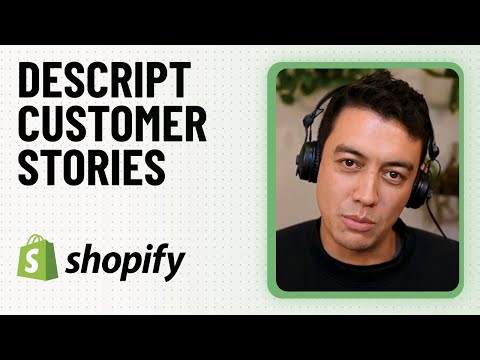
Why this works? This testimonial works because it shows how Descript solves a real problem: reducing the need for long, time-consuming meetings. The speaker describes how Descript’s ability to quickly record and share 1–2 minute videos has replaced many of the traditional 30–60 minute meetings. The key benefit is Descript’s studio-quality sound, which eliminates distractions and ensures the message is clear.
This B2B productivity tool empowers teams to communicate asynchronously, allowing them to focus on the content instead of the logistics of scheduling and conducting meetings. The testimonial illustrates a clear use case for teams looking to save time and improve communication in a remote environment.
Here’s a table of key observations from this testimonial video:
| Video Testimonial Review Criteria | Our observation |
|---|---|
| Video Duration | 1 minute 47 seconds |
| Video Capture Setup | Single speaker, informal testimonial |
| Product UI Overlay | Yes (mentions video recording feature) |
| B-Roll | No |
| On-screen animated callouts | No |
| Background Music used? | Yes |
💡 Bonus Tip: Questions being answered (explicitly or implicitly) in this testimonial video:
- What were the main challenges in reviewing 300 projects at once?
- How does Descript help streamline the review process?
- Why is asynchronous communication important in a remote environment like Shopify?
- How does Descript compare to Slack or email for getting feedback quickly?
- How does Descript improve video quality and communication effectiveness?
- Why is uninterrupted, full-message listening valuable for reviewing projects?
24. UiPath: Robotic Process Automation Platform Testimonial Video
UiPath is an RPA platform that helps teams automate repetitive manual work using software bots.
Why this works? This testimonial works because it keeps the story grounded in a real internal goal: operational efficiency. The speaker doesn’t try to hype automation. He explains the shift in a simple way:- humans do work one way, software does it differently, and then ties it to the payoff: giving time back to the workforce.
The best moment is the first bot run, watching Orchestrator complete the job and hit the exact objective. That adds trust because it sounds like a real internal rollout, not a marketing line. As corporate testimonial videos go, this is a clean template: business goal → first win → confidence to scale.
Here’s a table of key observations from this testimonial video:
| Video Testimonial Review Criteria | Our observation |
|---|---|
| Video Duration | ~1 minute 30 seconds |
| Video Capture Setup | Single speaker, interview-style |
| Product UI Overlay | Yes (Orchestrator mentioned) |
| B-Roll | No |
| On-screen animated callouts | No |
| Background Music used? | Yes |
💡 Bonus Tip: Questions being answered (explicitly or implicitly) in this testimonial video:
- What business goal were you trying to solve at Pandora?
- Why did you choose RPA as the approach?
- What kinds of tasks did you automate with UiPath?
- What happened when you ran your first bot?
- Did UiPath meet your expectations and objectives?
- What is the biggest value UiPath brings to an organization?
25. Spellbook: Contract Review & Efficiency Tool Testimonial Video
Spellbook is a contract review tool that helps legal professionals save time and enhance their efficiency through AI-driven analysis.

Why this works? This testimonial works because it connects personal goals with professional efficiency. The speaker wanted to be more efficient, save time, and be present for his family. Spellbook helped him achieve that by streamlining the contract review process.
The real insight is how Spellbook freed up time for more engaging work with clients, showing that great tech is a quiet enabler in the background. The speaker also shares how a single decision, i.e., switching to a flat-fee structure, guided all the firm’s efficiency strategies, making this a great B2B legal testimonial video on both technology adoption and work-life balance.
Here’s a table of key observations from this testimonial video:
| Video Testimonial Review Criteria | Our observation |
|---|---|
| Video Duration | ~3 minutes |
| Video Capture Setup | Single speaker, interview-style |
| Product UI Overlay | No |
| B-Roll | Yes (personal life references, professional setting) |
| On-screen animated callouts | No |
| Background Music used? | Yes |
💡 Bonus Tip: Questions being answered (explicitly or implicitly) in this testimonial video:
- What motivated you to start a flat-fee law firm?
- Why did you focus on efficiency and innovation from the beginning?
- What was your first impression of Spellbook?
- How did Spellbook improve your contract review process?
- What’s the biggest benefit you’ve seen from using Spellbook for your firm?
- How did using Spellbook impact your work-life balance?
- Why would you recommend Spellbook to other lawyers or law firms?
26. CloudNexa: AWS Security & Compliance Consulting Testimonial Video
CloudNexa helps teams improve AWS security and compliance by assessing gaps, fixing issues, and aligning environments to best practices.

Why this works? This video works because it ties technical work to business outcomes in plain language. The speaker starts with uncertainty around malware risk and an internal AWS knowledge gap. Then they show a measurable before-and-after: 70% compliance to 100% in 60 days. The story finishes with a consequence that matters to executives:
HITRUST certification unlocked three new contracts and “millions of dollars” in revenue. That tight chain—risk → remediation → certification → revenue, makes this one of the best testimonial video examples for security services, because it proves value without overexplaining the tech.
Here’s a table of key observations from this b2b testimonial video interview:
| Video Testimonial Review Criteria | Our observation |
|---|---|
| Video Duration | ~2 minutes |
| Video Capture Setup | Customer interview (single speaker) |
| Product UI Overlay | No |
| B-Roll | Yes |
| On-screen animated callouts | No |
| Background Music used? | Yes |
💡 Bonus Tip: Questions being answered (explicitly or implicitly) in this testimonial video:
- What security and compliance risks were you dealing with before CloudNexa?
- Why did you need outside AWS expertise instead of doing it in-house?
- What was your baseline compliance level before the assessment?
- What changed in the 60 days after starting the remediation work?
- How did HITRUST certification impact the business?
- Why did the engagement feel effective for your team?
27. Gainsight: Customer Success Platform Testimonial Video
Gainsight helps small Customer Success teams set up onboarding, renewals, and customer health tracking in one place.

Why this works? This video works because the speaker is specific about the starting point: a team of one with “zero process.” She also gives a clear timeline. Contract signed, live in four weeks. That makes the change feel real. The strongest lesson is how health scoring becomes a daily system, not a report. She can spot champions, low utilizers, and risk early. Then tie that to renewals and expansion.
It’s a solid corporate testimonial video format: show the messy “before,” show the rollout, then show how the team operates now.
Here’s a table of key observations from this testimonial video:
| Video Testimonial Review Criteria | Our observation |
|---|---|
| Video Duration | ~3 minutes |
| Video Capture Setup | Customer interview (single speaker) |
| Product UI Overlay | No |
| B-Roll | No |
| On-screen animated callouts | No |
| Background Music used? | Yes |
💡 Bonus Tip: Questions being answered (explicitly or implicitly) in this testimonial video:
- What was missing in your CS motion before Gainsight?
- Why did you need a system fast as a team of one?
- How did implementation help you go live quickly?
- How do you use health scores to manage renewals and expansion?
- What makes the accelerator/cohort valuable for small teams?
- What does “scalable CS” look like for you?
28. Lawcus Legal Software Onboarding Video Testimonial Video
Lawcus is a legal practice management software designed to help law firms streamline their operations.

Disclosure: The video testimonial example shown here is created by Lawcus for Content Beta
Making a video for B2B & SaaS products needs a different mindset.
Why this works? This testimonial works because it focuses on real business outcomes: a higher conversion rate and a reduction in demo requests. The speaker starts with clear concerns, then shows how those fears were overcome by the success of the onboarding video. The key proof point is the shift from scheduling demos to users understanding the product through the YouTube video.
This is a great example of b2b testimonial videos showing the value of video content in increasing engagement and decreasing operational overhead. Clear communication, an organized client portal, and responsive service helped make this a success.
Here’s a table of key observations from this testimonial video:
| Video Testimonial Review Criteria | Our observation |
|---|---|
| Video Duration | ~1 minute |
| Video Capture Setup | Customer interview (single speaker) |
| Product UI Overlay | Yes |
| B-Roll | Yes |
| On-screen animated callouts | No |
| Background Music used? | Yes |
💡 Bonus Tip: Questions being answered (explicitly or implicitly) in this testimonial video:
- What were your concerns before working with Content Beta?
- How did you know the video would be effective?
- What happened after implementing the onboarding video?
- How did traffic to the YouTube video impact your demo process?
- How did the client portal and weekly updates help during production?
- Why did you feel confident in the process with Content Beta?
29. Algolia: Site Search & Product Discovery Testimonial Video
Algolia powers fast, easier site search so customers can find products without fighting navigation.

Why this works? This testimonial works because it explains the “before” friction in plain terms: clunky dropdowns, mobile thumb issues, and users bouncing when they can’t find the right item. Then it backs the improvement with two proof signals. Conversion went up, and support calls plus web chat complaints dropped. That’s a clean link between UX and business impact. The final line also helps: “Algolia is back there… running,” which positions the product as reliable infrastructure, not a flashy feature.
If you’re collecting business testimonial videos, this is the format to copy: one specific problem → one clear fix → proof from both analytics and support noise.
Here’s a table of key observations from this testimonial video:
| Video Testimonial Review Criteria | Our observation |
|---|---|
| Video Duration | ~1 minutes |
| Video Capture Setup | Single speaker, interview-style |
| Product UI Overlay | No |
| B-Roll | No |
| On-screen animated callouts | No |
| Background Music used? | Yes |
💡 Bonus Tip: Questions being answered (explicitly or implicitly) in this testimonial video:
- What was missing before Algolia in your product search experience?
- Why were mobile users struggling to use the dropdown and filters?
- What changed once search became easier to navigate?
- What is the main benefit you get from Algolia day to day?
- Who benefits most when support calls and chat complaints drop?
- Why would you recommend Algolia to teams seeing bounce and checkout friction?
30. Sendoso: Sales Gifting & Direct Mail Platform Testimonial Video
Sendoso is a sales gifting and direct mail platform that helps teams add a physical or digital gift touchpoint into outbound and customer engagement.

Why this works? This testimonial works because it shows the exact job-to-be-done: stand out when inboxes are overloaded. The speaker explains where gifting fits (often as a third or fourth touch), and why it matters: it creates a human moment, not another generic follow-up. The operational pain is real too:- packaging, labels, and expensing, so “streamlines the entire process” feels earned.
Best of all, it includes proof: when direct mail was added, they saw a 35% increase in conversions compared to the 1–3% baseline. That makes the story easy to trust.
Here’s a table of key observations from this testimonial video:
| Video Testimonial Review Criteria | Our observation |
|---|---|
| Video Duration | ~4 minutes 30 seconds |
| Video Capture Setup | Multi-speaker, interview-style |
| Product UI Overlay | No |
| B-Roll | No |
| On-screen animated callouts | No |
| Background Music used? | Yes |
💡 Bonus Tip: Questions being answered (explicitly or implicitly) in this testimonial video:
- Why is it hard to stand out in SDR outreach today?
- Why did you add gifting/direct mail into your cadence?
- What did Sendoso replace in your workflow (in-house mail)?
- Where does Sendoso sit in Salesloft/Salesforce day to day?
- What results changed after adding a gift touchpoint?
- How do you keep gifting sincere and not gimmicky?
We know how to sell your story using your product UI
Types of Testimonial Videos
Use these types to generate testimonial video ideas. Each type solves a different problem, depending on your audience, product, and stage of the buyer journey. Our goal with this research is to help you build more creative testimonial videos by mixing different styles to stand out.
1. Interview-Style Testimonial
A customer is interviewed on camera. The story is shaped during editing. Common in B2B. Works well for explaining context, decisions, and outcomes.
2. Outcome-Based Testimonial
Focuses on benefits – time saved, cost reduced, or risk lowered. Less about features, more about what improved after adoption. Emphasis is on results.
3. Feature-Focused Testimonial
Customers talk about specific features they use. Best for complex products with multiple buyer or user personas.
4. Before-and-After (Transformation) Testimonial
Shows clear contrast. Life or work before the product and after. Relies on visual or verbal proof of change.
5. Case Study Video Interview
Longer and more formal. Covers the problem, evaluation, implementation, and results. Often used for enterprise sales and late-stage buyers. Sometimes follows the SCQA model: Situation, Complication, Question, and Answer.
6. Short Endorsement / Quote-Led Testimonial
Very short, often under 30 seconds. Usually pulled from a longer interview. Used in ads, landing pages, or as social proof snippets.
7. Multi-Speaker / Montage Testimonial
A mashup of multiple customers or team members. Short clips stitched together. Builds credibility through repetition and pattern recognition.
8. Day-in-the-Life Testimonial
The camera follows the customer at work. Includes over-the-shoulder shots, team b-roll, and an on-desk interview setup. More common for enterprise products due to higher production budgets. You can also use a mobile camera to shoot a lo-fi version for social media.
9. Executive or Leadership Testimonial
A senior leader speaks. Focuses on strategy, trust, and business impact. Less tactical and more directional. Common in enterprise and compliance-heavy industries.
10. User-Generated Testimonial (Self-Shot)
Recorded by the customer on a phone or webcam. Feels informal and impromptu.
11. Influencer or Creator Endorsement
Creators speak to their audience and leverage their follower base. Works when credibility comes from reach or expertise, not deep product usage. More common in B2C or D2C, including unboxing-style videos.
Why are testimonial videos great for SaaS & B2B Tech?
Testimonial videos work especially well for SaaS and B2B tech because digital products aren’t something you unbox and benefit from instantly. Value shows up over time – after setup, adoption, and real usage. Buyers want proof that this effort is worth it.
Most SaaS decisions are also made on behalf of others. You’re not choosing just for yourself. You’re choosing for your team, your org, or your customers. If the decision goes wrong, it creates friction across workflows, budgets, and trust. That pressure is real.
This is where testimonial videos help. They show how someone else made the same call, what they were unsure about, and what changed after rollout. You can also reach out to the person featured in the testimonial on LinkedIn. I’ve done this. It works.
For SaaS and B2B tech, testimonials reduce perceived risk. They help buyers justify decisions internally and move forward with more confidence.
Plus, testimonial videos act as sales enablement content that can be reused across these touchpoints, not one-off marketing assets.
15+ Ways to Place and Reuse Video Testimonials
Capturing video testimonials takes time, money, and effort. From planning and editing to approvals, it’s not a one-off task. That’s why, we recommend 15+ ways to place and reuse video testimonials across websites, ads, sales assets, and social channels to increase reach and improve ROI.
| Channel | Where it’s used |
|---|---|
| Website / Landing pages | Homepage, landing pages, case study pages, demo pages, pricing page |
| Ads | Read more on how you can repurpose a testimonial into a top-performing testimonial video ad creative. |
| Social media (organic) | LinkedIn, Twitter, Instagram, YouTube |
| Sales deck | Pitch decks, proposals, enterprise presentations |
| Emails | Outbound emails, lead follow-ups, promotional newsletters |
Last Minute Tips to Capture Better Testimonial Videos
We’ve worked with over 200+ SaaS and B2B tech brands. For many of them, we helped collect video testimonials using our remote testimonial services. We then edited those videos for ads and social media, and repurposed the interviews into a two-page whitepaper and a customer case study for their website.
Learn from our experience.
If your video testimonial starts by talking about the product, viewers drop off within the first few seconds. A testimonial video is not about you or your product. It’s about your customer, your prospect, and the problems they deal with every day.
Yes, you’re the solution. But that matters later, not in the opening seconds.
Choose customers who have energy on camera. Do not forget to tell customers why you picked them. Tell them what’s special about their story and their success. Many customers don’t even realize their experience is valuable. When they feel seen and appreciated, they’re far more willing to participate.
Do all the heavy lifting for your customers upfront. Warm them up before recording. Sketch a loose story of how the video could look and which parts of their success you want to highlight. Show examples of past, well-edited video testimonials. Customers appreciate seeing their story treated like a mini-film they’d be proud to share within their network.
If possible, make the speaker face a window for natural light.
Interview them. Don’t put someone in front of a camera and ask them to perform. Have a conversation. People are comfortable talking to people, not lenses.
Where most business video testimonials go wrong is letting customers talk freely for too long. Coach them to answer in full sentences so the final video feels natural.
Production quality doesn’t matter nearly as much as the story. You need a good creative director who can craft an impactful 90-second story from a 20-mins footage in the video editing stage.
Video testimonial ROI is highest when they’re planned by studying proven formats.
When distributed across channels, a single testimonial can support trust, sales, and adoption far beyond its original use, but only when it’s real, well-framed, and tightly edited.
Frequently Asked Questions (FAQs)
How to make a great B2B SaaS remote testimonial video?
The key factors to make a great B2B SaaS remote testimonial video are:
- Selecting Client: Choose a satisfied customer who can passionately express your product’s advantages.
- Preparations: send them the interview questions or a testimonial template beforehand.
- Recording: Ensure high-quality filming with a good camera, microphone, and lighting.
- Keep It Short: Aim for a 2-3 minute video to maintain viewer interest.
- Post-Production: Ensure clear audio and appropriate graphics or text.
- Call to Action: Direct viewers to a specific action.
How much do customer testimonials cost?
A professionally produced testimonial video could cost anywhere from $1,000 to $10,000 or more. The cost varies based on production quality, length, location, and talent fees.
Why do video testimonial examples work better than text-based testimonials?
Testimonial video examples work better than text testimonials because they:
- Create an Emotional Connection: They transmit emotions better, forming a stronger bond with viewers.
- Appear Authentic: Seeing real customers in testimonial video examples seems more real.
- Engage More: Dynamic video content holds attention longer than text.
- Improve Memorability: Visual content is likely to be remembered better than written content.
- Offer Versatility: Testimonial videos can be shared widely, increasing their reach and impact.
Which AI tools can help us with testimonial videos?
AI tools that can help us with testimonial videos include Veed.io, Descript, Synthesia, etc for video production assistance. With tools like GPT and Claude that rolled out this year, you can get help with video outlines, scripts, templates, questions to ask, etc.
We have made videos for 200+ B2B & SaaS companies. Explainer Video, Product Demo, Remote Video Testimonials, and more.